
Walkthrough
How it works
From install to the first reward is usually one evening. Here is the whole mechanism in order: what the adult does, what the child sees, and what happens to the points along the way.
Getting started
Three moves from an adult, then the app carries on
Create your family
An adult signs up with an email address and creates a family space. Everything that appears later is visible only inside it.
Add a child
The app shows a QR code. The child scans it from their own device and joins the family — no password, no email, no access to contacts.
Add the first task
One tap from the catalogue of home routines. Or in your own words, if your family calls it something else.
A child's day
A list that makes it clear what you can pick up
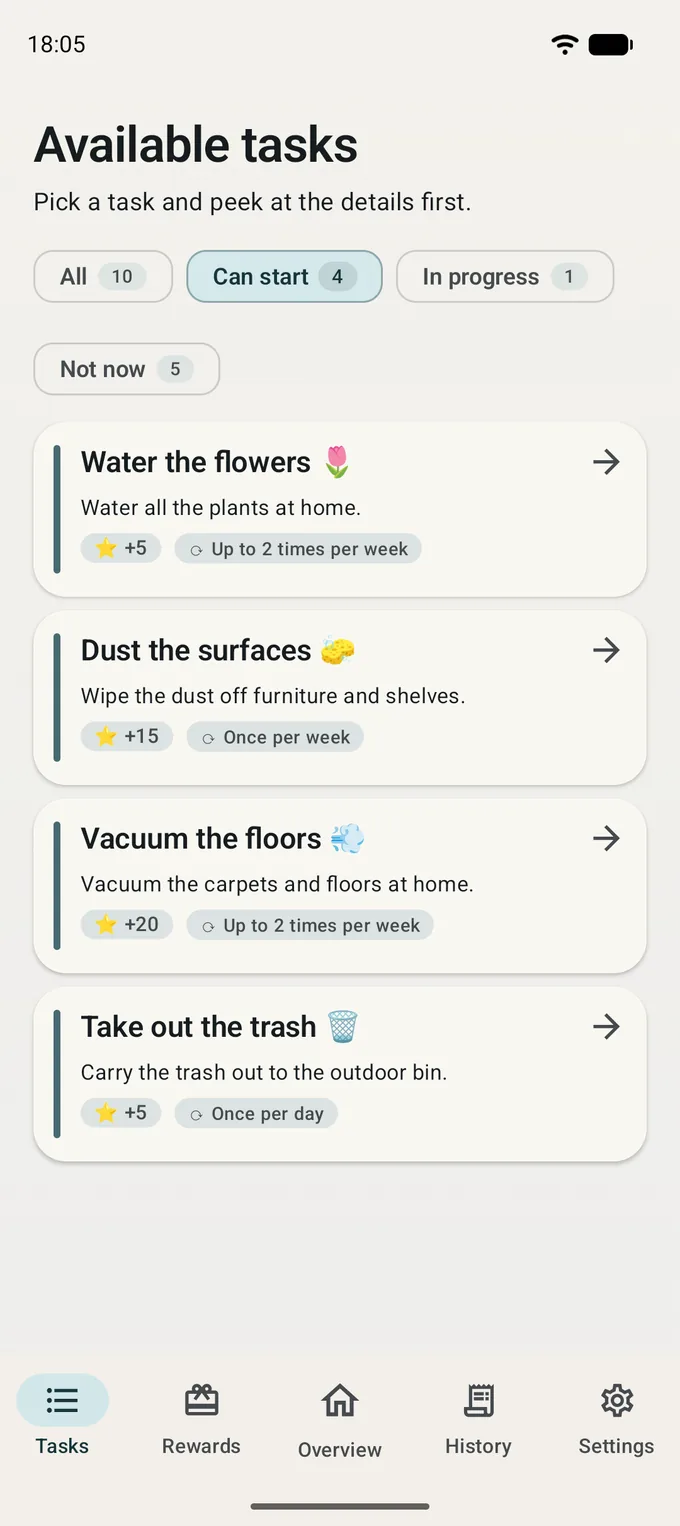
The child opens the app and sees a list of options rather than a list of complaints: what is available today, what is already in progress, and what is waiting for an adult to review. Points for each task are shown up front — no surprises in either direction.
- Taking a task is one tap; putting it back is one tap too
- Send it for review when it's done
- See what a task is worth and how much has been saved so far
The adult's move
Approve, or ask them to finish up
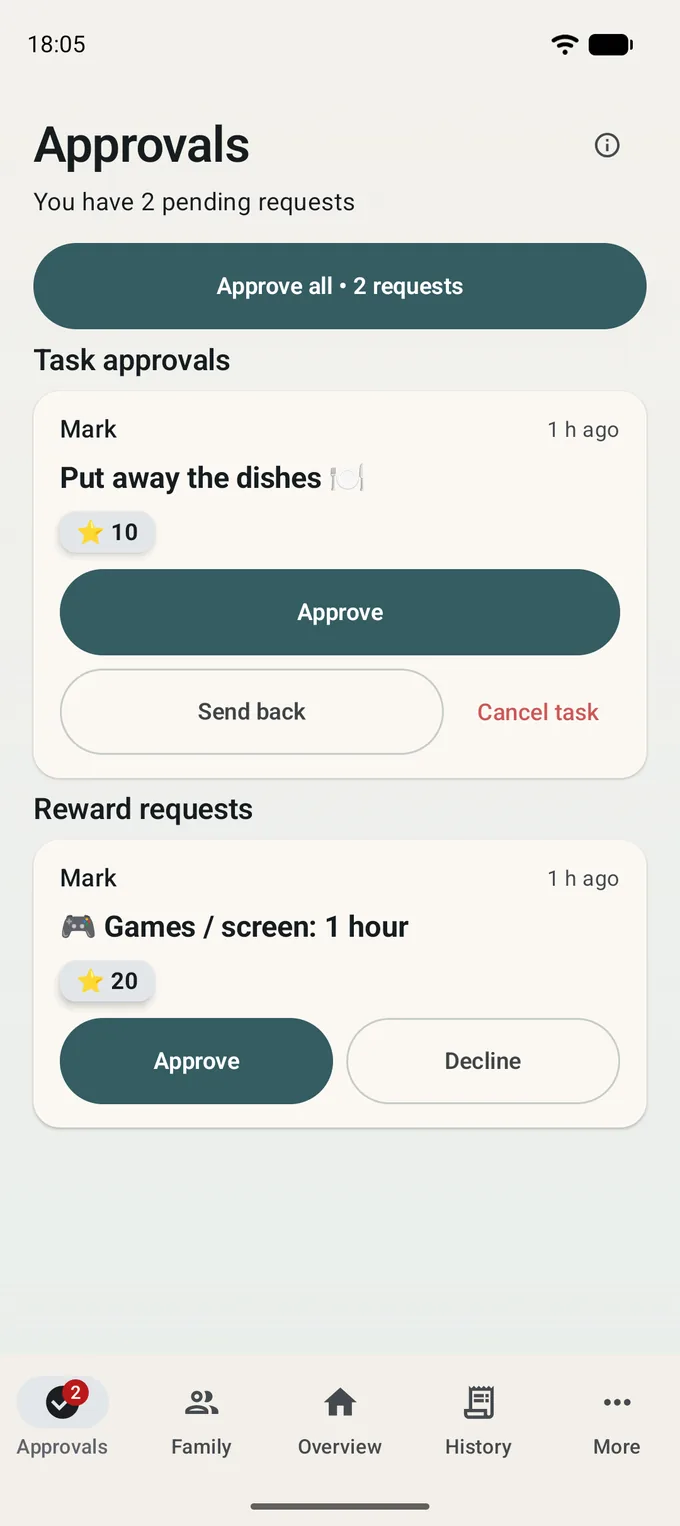
Completed tasks gather in one place. The adult approves them in one tap — several at once if needed. If something isn't quite finished, the task goes back with a reason: the child sees what is still missing, not a flat refusal.
- Batch approval when a few have piled up over the day
- Sent back with a clear note rather than silence
- A notification arrives only when an adult is genuinely needed
Rewards
The price is known in advance
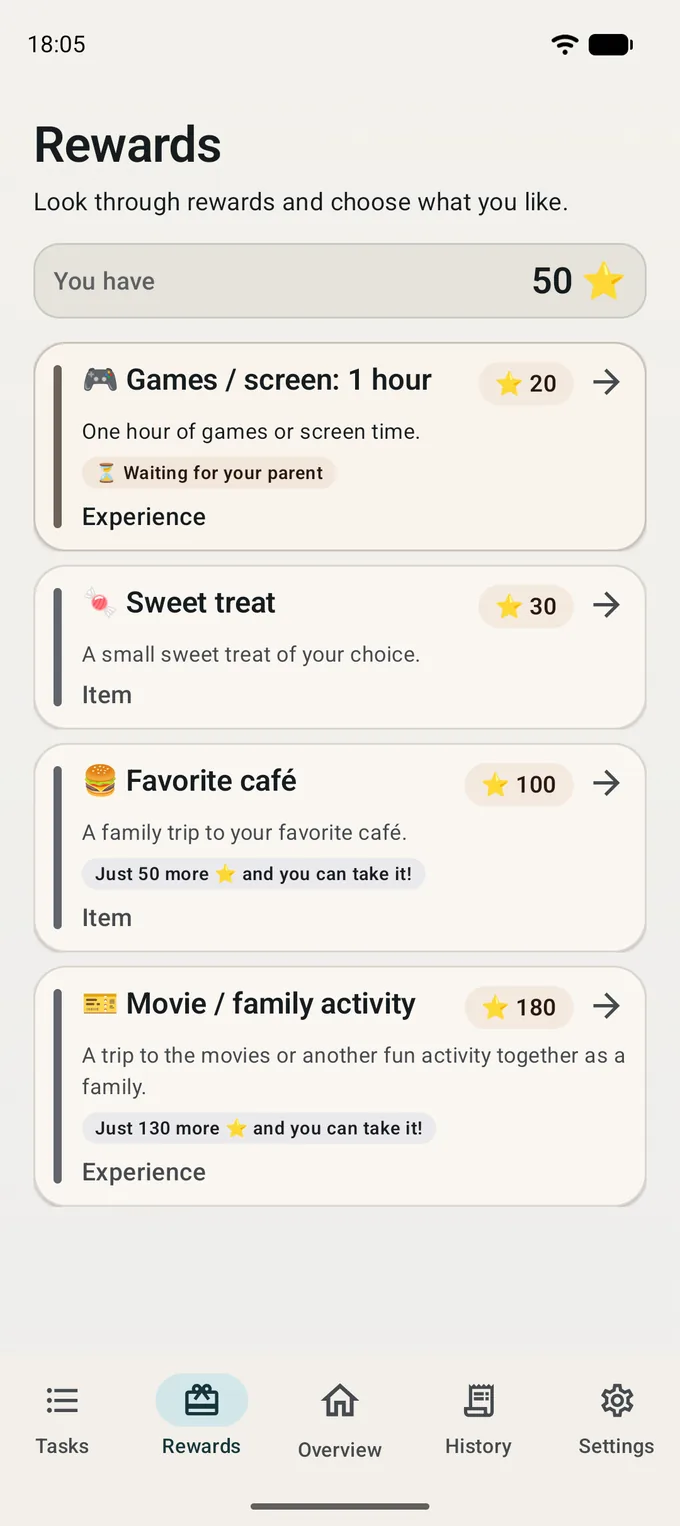
The family invents the reward catalogue: screen time, a favourite meal, a trip to the movies, a weekend outing. Every reward has a price in points, and the child sees it before they start saving.
Once there are enough points, the child sends a request. The reward itself is handed over by an adult — the app only records that both sides kept the agreement.
- An adult creates the rewards and sets the price
- The child sees what's left to save for each one
- A reward request is confirmed by an adult, by hand, just like in real life
Together
One shared family goal
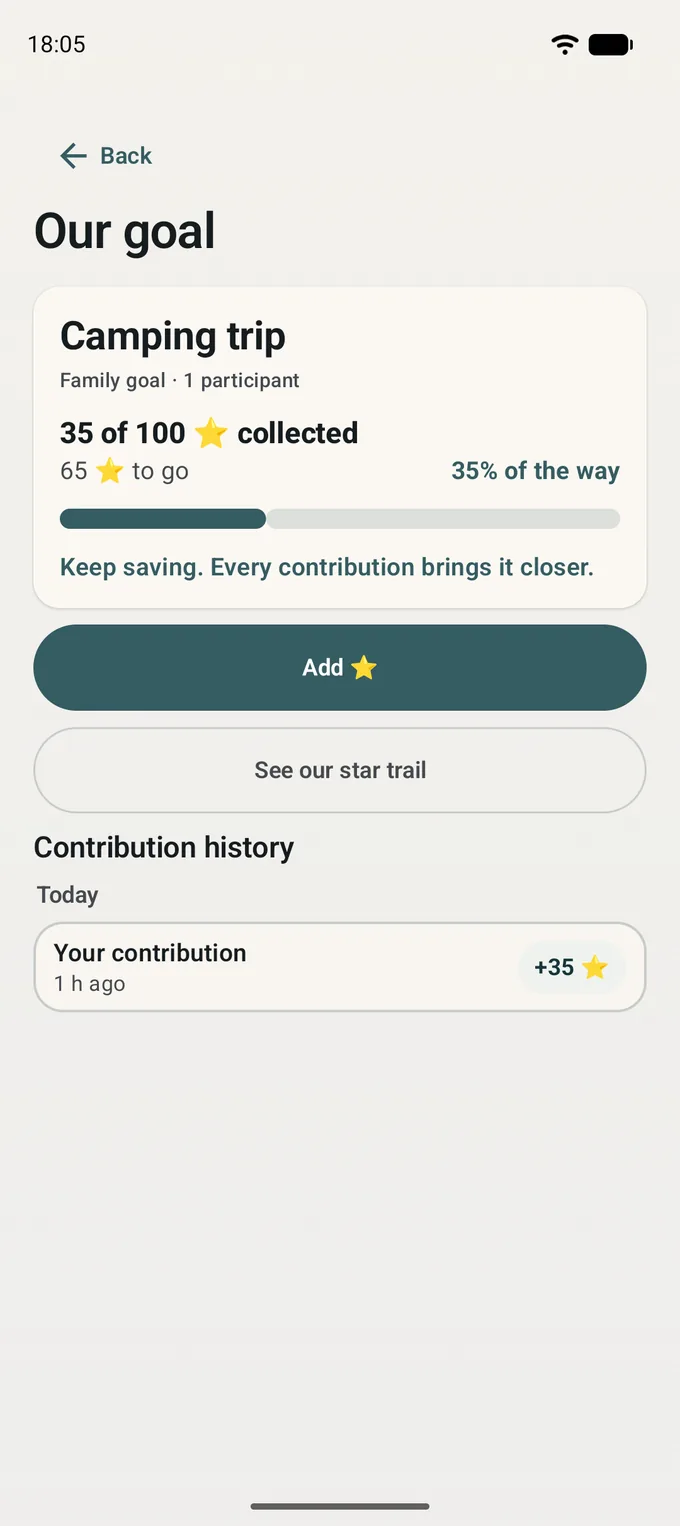
Alongside personal rewards there is one shared plan — a camping trip, a day out, a big board game. Every child can chip in, and the progress is visible to all: not "how much do I have" but "how much is left for us".
- One goal per family, with a name and a price in points
- Contributing is voluntary: the child decides how much to put in
- Progress shows on the home screen for everyone involved
Memory
The story of every point
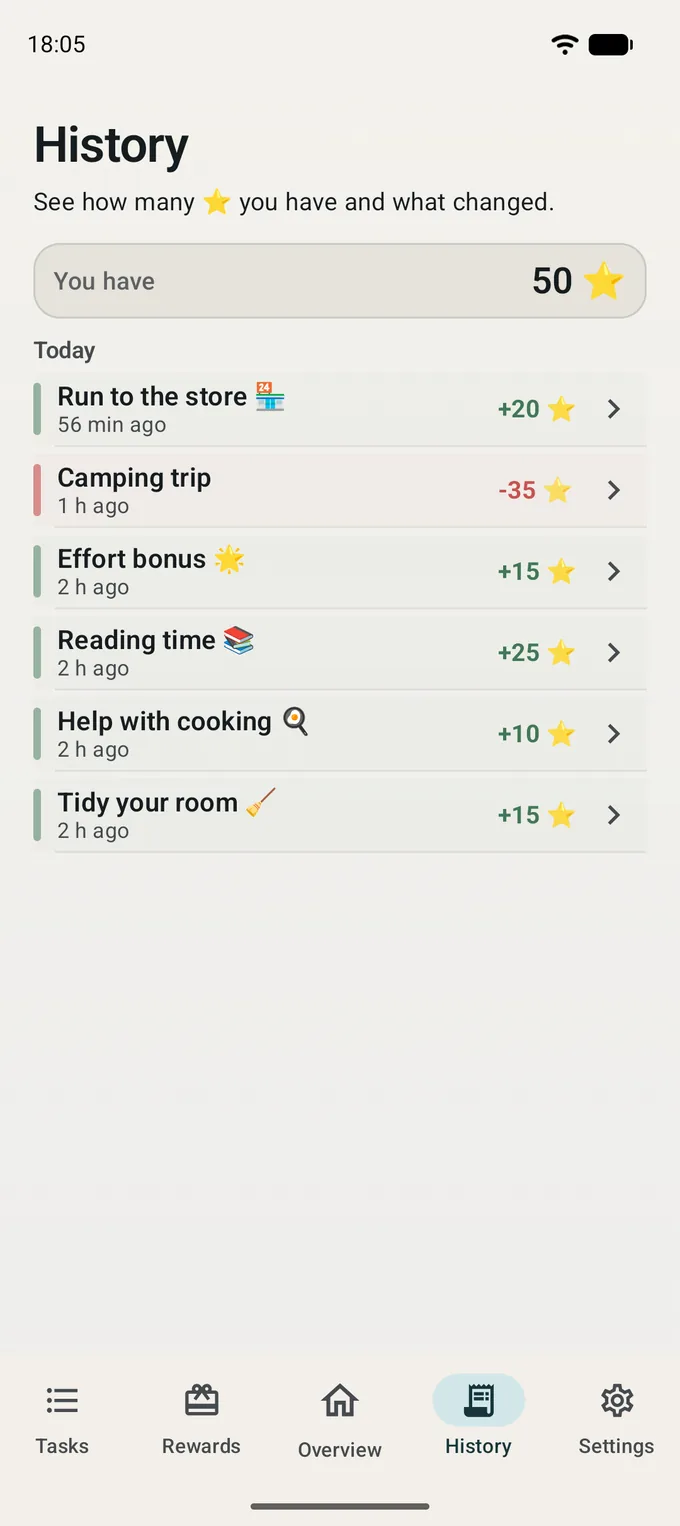
Every credit and every exchange lands in a shared timeline with a date and a reason. This is the external memory the whole thing was built for: "where did you get all those?" stops being an argument and becomes a scroll.
- Points earned for tasks, spent on rewards, put into the shared goal
- The child has their own history; the adult sees the whole family's
- The full family event history is part of Family Pro
Several adults
Mom, dad, grandparents — and different rights
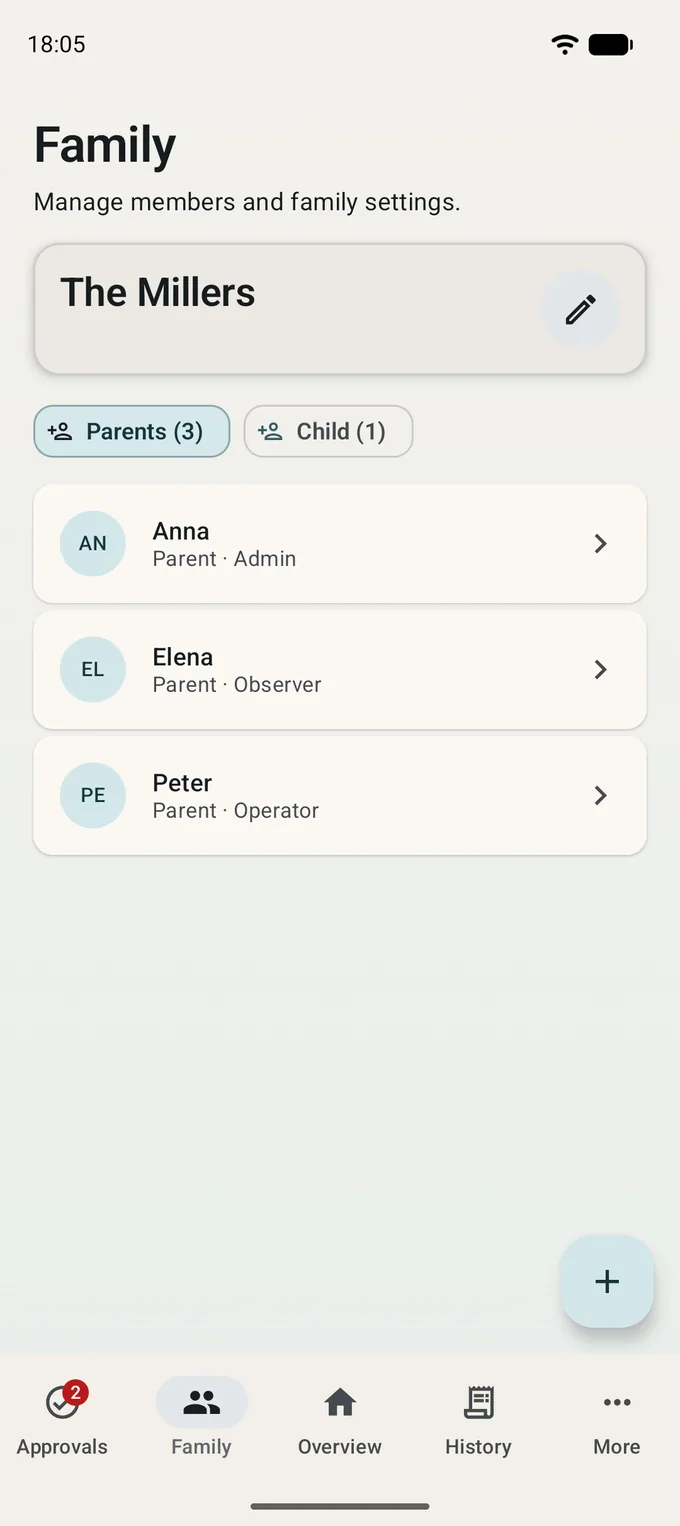
A family can have more than one adult, and they are rarely equal in role. One makes the decisions, one helps with reviews, one just needs to stay in the loop. Roles are set explicitly, so nobody overturns someone else's decision by accident.
Several adults with roles is part of Family Pro. In the free version one adult runs the family.
- Roles: who decides, who helps out, who simply watches
- A second adult is invited by link or code
- Actions appear in the shared timeline: it's clear who approved what
And when something goes wrong
Getting things wrong is normal in a family, so every action is reversible — and the app never does an irreversible one quietly.
- A task that was picked up can be put back with nothing lost
- Approval is a deliberate act by an adult, not a timer running out
- Points never expire and never go negative: a cancelled task simply earns nothing
- Deleting a task or a reward does not rewrite the past — the history stays
The rest is your family
The mechanism ends here. Everything after it is whatever the two of you agree on.

Free. Android 8.0 and newer.